Why Every Gym Needs a High-Converting Website in 2026
Walk past any busy gym on a Monday evening and you’ll see the same thing: people checking their phones between sets. Now think about the people who aren’t inside yet. Before they ever step through your door, almost all of them will look you up online. They’ll search “gym near me”, tap on a few results, glance at photos, check the price, read a couple of reviews and decide in a minute or two whether you’re worth a visit.
That moment is where most gyms quietly lose members. Not because their trainers are bad or their equipment is old, but because their website doesn’t do its one job: turning a curious visitor into someone who books a trial, sends an enquiry or walks in.
In 2026, a gym website isn’t a digital brochure anymore. It’s your hardest-working salesperson. It works at 2 a.m., it never takes a day off, and it talks to every single person who considers joining you. This guide explains why a high-converting website matters more than ever, what “high-converting” actually means for a gym, and the practical steps you can take to get there.
In this post:
- What a high-converting gym website really is
- Why 2026 raises the stakes for fitness businesses
- The cost of a website that doesn’t convert
- The seven building blocks of a gym site that gets results
- How to measure whether your site is working
- A simple 30-day plan to improve your current website
- Frequently asked questions
What Is a High-Converting Gym Website?
A “conversion” is simply the action you want a visitor to take. For most gyms, that’s one of the following:
- Booking a free trial or day pass
- Filling out an enquiry form
- Tapping to call or WhatsApp the front desk
- Buying a membership or class pack online
- Getting directions to the gym
A high-converting website makes those actions obvious, easy and appealing. It removes doubt (Is it clean? Is it crowded? What does it cost? Will I feel out of place?) and gives people a clear next step.
Compare two gyms. The first has a beautiful homepage video, but the phone number is buried in the footer, the pricing page says “contact us” and the trial form has twelve fields. The second has a simpler design, but every screen shows a “Book Your Free Trial” button, pricing is clear, and the form asks for a name and a phone number. The second gym will almost always win more members, even if the first one looks fancier.
Conversion is about clarity, not decoration.
Why 2026 Raises the Stakes for Gyms
The fitness market has changed a lot in the last few years. Here’s why your website matters more now than it did even three years ago.
1. People decide on their phones
Most of your visitors arrive on a mobile phone, often from Google Maps, Instagram or a WhatsApp link a friend shared. If your site is slow, hard to tap or needs pinching and zooming, they leave. Mobile isn’t a version of your website anymore; for most prospects, it is your website.
2. Competition is everywhere
It’s not just the gym down the road. Boutique studios, CrossFit boxes, yoga centres, app-based home workouts and budget chains are all fighting for the same people. When a prospect compares three or four options in a single sitting, the gym with the clearest, most trustworthy website gets the trial.
3. Search is becoming more answer-driven
Google and AI assistants increasingly summarise information for users before they click. They pull your opening hours, pricing hints, reviews and services from your website and your Google Business Profile. A site with clear, well-structured information is easier for these systems to understand and recommend. A site that hides everything behind images or vague copy gets overlooked.
4. Ad costs keep climbing
If you run Meta or Google ads, you’re paying for every click. Sending paid traffic to a weak website is like filling a bucket with a hole in it. Improving your conversion rate is often the cheapest way to lower your cost per new member, because the same ad budget brings in more trials.
5. Members expect convenience
People book cabs, food and doctor appointments in a few taps. They expect the same from a gym: see the class schedule, pick a slot, pay online, get a reminder. A website that forces them to call during office hours feels outdated.
The Real Cost of a Website That Doesn’t Convert
Many gym owners see their website as a one-time expense. The bigger cost is the invisible one: members you never hear from.
Imagine your website gets 1,000 visitors a month. If 1% of them book a trial, that’s 10 trials. If you improve the site so that 3% book, that’s 30 trials, from the same traffic and the same marketing spend. If even a third of those trials become members, the difference is dozens of extra members every quarter.
You don’t need more traffic first. You need to stop wasting the traffic you already have.
Common signs your website is leaking members:
- People call to ask questions your website should already answer (timings, fees, parking)
- Your Instagram gets engagement, but very few enquiries come through the link in bio
- Your ads get clicks but few form submissions
- Visitors land on the homepage and leave without visiting any other page
- Your staff can’t remember the last time someone said “I found you on your website”
The 7 Building Blocks of a High-Converting Gym Website
1. A clear promise above the fold
The first screen visitors see should answer three questions in a few seconds: What is this place? Who is it for? What should I do next?
A strong headline might be “Strength training and group classes in Boring Road, Patna. Your first week is free.” Pair it with a real photo of your gym (not stock images) and one main button: “Claim Your Free Week”.
Avoid vague slogans like “Unleash Your Potential”. They sound nice but tell the visitor nothing.
2. Calls to action on every page
Never make someone hunt for the next step. Your main call to action should appear:
- In the header, as a sticky button on mobile
- After every major section of the homepage
- At the end of every blog post and service page
- As a floating WhatsApp or call button
Use one primary action (usually the free trial) and one secondary action (usually WhatsApp or call). Too many choices create hesitation.
3. Transparent pricing
“Contact us for pricing” feels safe to gym owners but frustrating to prospects. Many will simply leave and choose the gym that shows its prices. You don’t have to list every package, but show a starting price or a few clear plans. If you run offers, display them with an end date so they feel real.
If you’re worried about competitors copying your prices, remember that your visitors matter more than your competitors. Transparency builds trust.
4. Social proof that feels real
People join gyms where people like them already train. Show:
- Google reviews with names and photos (embedded or quoted with permission)
- Short member stories with before-and-after results, shared with consent
- Photos and short videos of real classes, real trainers and real members
- Trainer profiles with qualifications and specialities
Authentic, slightly imperfect photos of your actual gym usually outperform polished stock photography.
5. Speed and mobile-first design
A slow website loses visitors before they even see your offer. Aim for pages that load in under three seconds on a typical mobile connection. Practical fixes include compressing images, using a lightweight theme, limiting heavy sliders and animations, and choosing good hosting.
On mobile, make sure buttons are big enough to tap, text is readable without zooming and forms work smoothly with the phone keyboard.
6. Frictionless forms and booking
Every extra form field reduces the number of people who complete it. For a trial booking, a name, phone number and preferred time are usually enough. You can collect fitness goals and other details later, in person or over WhatsApp.
If you run classes, integrate an online schedule where people can book a slot directly. Send instant confirmation messages so the prospect knows their booking worked.
7. Local SEO foundations
Your website should clearly mention your location, neighbourhood and nearby landmarks. Add your address, a Google Map, opening hours and a click-to-call phone number on every page (usually in the footer). Create a page for each major service, such as personal training, weight loss programmes, CrossFit or Zumba, so you can rank for those searches locally.
We cover this in depth in our guide to local SEO for gyms, but the short version is: make it easy for Google and for people to know exactly where you are and what you offer.
How to Measure Whether Your Website Is Working
You can’t improve what you don’t measure. At a minimum, set up:
- Google Analytics 4 to see how many people visit, where they come from and which pages they view
- Conversion tracking for form submissions, WhatsApp clicks, phone taps and online purchases
- Google Search Console to see which searches bring people to your site
- Google Business Profile insights to see calls, direction requests and website clicks from Maps
Then track a handful of simple numbers every month:
- Total website visitors
- Number of trial bookings or enquiries
- Conversion rate (enquiries divided by visitors)
- Trial-to-member rate (tracked at your front desk or CRM)
- Cost per new member if you run ads
Look at trends rather than single days. If visitors are rising but enquiries aren’t, the problem is your website. If enquiries are rising but members aren’t, the problem is your follow-up or your in-gym experience.
A Simple 30-Day Plan to Improve Your Gym Website
You don’t need to rebuild everything at once. Here’s a practical month-long plan.
Week 1: Audit and fix the basics
- Open your website on your phone and try to book a trial as if you were a new customer. Note every point of confusion.
- Check your page speed with Google PageSpeed Insights.
- Make sure your phone number, address and hours are correct everywhere.
- Install analytics and conversion tracking if you haven’t already.
Week 2: Sharpen your message and offer
- Rewrite your homepage headline so it states who you are, where you are and what your offer is.
- Choose one irresistible entry offer, such as a free week, a free personal training session or a discounted first month.
- Add clear pricing or starting prices.
Week 3: Build trust
- Replace stock photos with real images of your gym, trainers and members.
- Add your best Google reviews and two or three member stories.
- Create or update trainer profiles.
Week 4: Remove friction and test
- Shorten your forms.
- Add sticky call-to-action and WhatsApp buttons on mobile.
- Set up instant confirmation messages for bookings.
- Compare your enquiry numbers with the previous month and note what changed.
Repeat the cycle every quarter. Small, steady improvements compound over time.
Should You Rebuild or Improve Your Current Website?
If your site is built on a platform that’s hard to edit, loads slowly no matter what you do, or doesn’t work on mobile, a rebuild is usually the better investment. If the foundation is solid but the messaging and layout are weak, improvements can deliver results quickly.
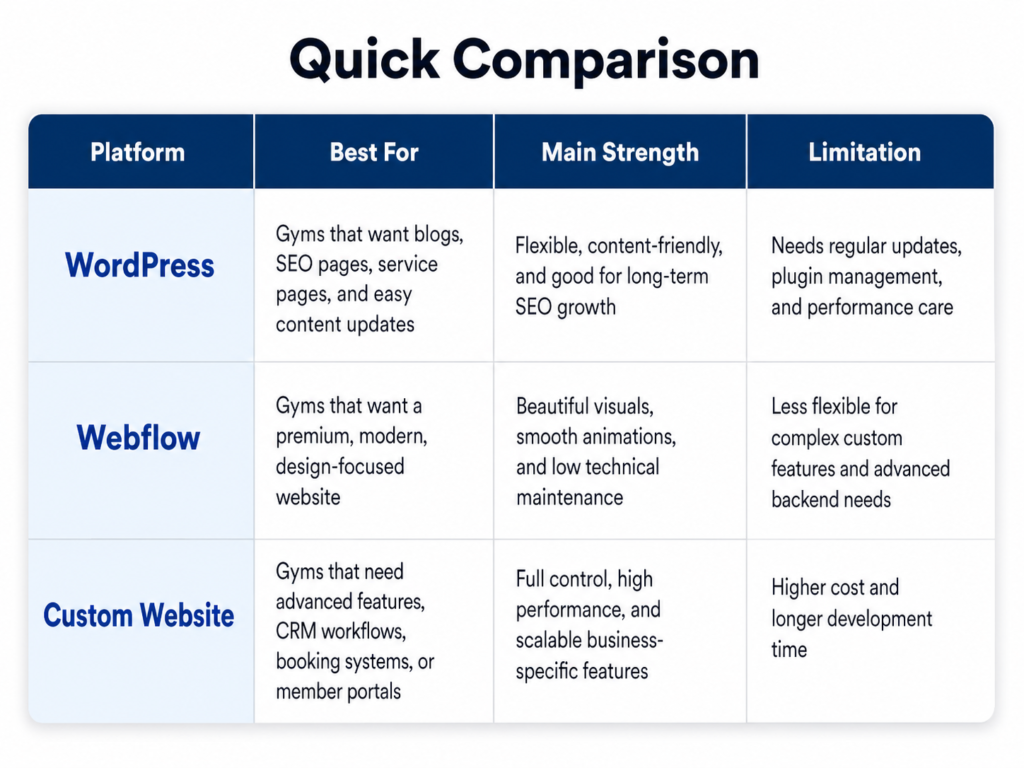
When choosing a platform, think about who will update the site, how often you’ll add offers and blog posts, and which booking or payment tools you need. Our comparison of WordPress vs Webflow vs a custom gym website walks through the trade-offs in detail.
Frequently Asked Questions
How much should a gym website cost?
It depends on the number of pages, features like online booking and payments, and whether you need custom design. A simple, well-built site can be affordable, while a fully custom site with integrations costs more. Instead of comparing price alone, compare how many new members each option is likely to bring in.
Do I still need a website if I’m active on Instagram?
Yes. Instagram is great for attention, but you don’t own it, and it’s not built for detailed information or bookings. Your website is where interest turns into action, and it’s what Google shows when people search for gyms nearby.
How long does it take to see results after improving my website?
Changes to messaging, offers and calls to action can improve enquiries within weeks, especially if you already have traffic from ads or Google Maps. SEO improvements usually take a few months to build momentum.
What’s the single most important change I can make today?
Put a clear, specific offer and a single “Book Your Free Trial” button at the top of your homepage, and make sure it works smoothly on mobile.
Related reading
- Gym Website Design Checklist: 15 Must-Haves for Fitness Sites
- Mandatory Features of a Gym Marketing Website (2026)
- How to Turn Gym Website Visitors Into Paying Members
- Local SEO for Gyms: How to Rank Higher in Your Area
- Our service: Gym Website Design & Development
Turn Your Website Into Your Best Salesperson
Your gym already has what it takes to change lives: great trainers, a strong community and the right equipment. Your website’s job is to make that obvious to every person who’s thinking about joining, and to make saying yes effortless.
At BananaBlocks Solutions, we design and optimise websites for gyms and fitness studios that are built to convert, from fast mobile-first design to booking integrations and local SEO. If you’d like a free review of your current gym website with clear, practical recommendations, get in touch with our team and we’ll show you where you’re losing members and how to win them back.